| Product | Rating | Price |
|---|---|---|
| 1. Silver Ticket STR Series 100-Inch Fixed Frame Projector Screen Silver Ticket Products Best Fixed Frame | Check Price | |
 2. Elite Screens Tripod 100-Inch Portable Projector Screen Elite Screens Best Portable | Check Price | |
 3. AAJK 150in Outdoor Projector Screen with Stand Easy Set Up Screen AAJK Best for Outdoor Cinema | Check Price | |
| 4. Elite Screens Manual B 100-Inch Pull-Down Projector Screen Elite Screens Best Pull-Down | Check Price | |
 5. VIVO 100 inch Portable Indoor Outdoor Projector Screen VIVO Best Budget Portable | Check Price |
Detailed Reviews
Silver Ticket Products
1. Silver Ticket STR Series 100-Inch Fixed Frame Projector Screen
Pros
- Silver Ticket's beveled aluminum frame wraps in black velvet to absorb light spillover and sharpen the image border
- Matte white surface rated for 1.1 gain supports 4K/8K and active 3D projection without color shift
- Six-piece frame assembles without tools and stays taut once mounted, removing screen wrinkles
Cons
- Wall-mount fixed frame requires dedicated wall space and is not portable
- Higher initial setup commitment than a pull-down or tripod screen
Silver Ticket's STR-169100 is a purpose-built home theater fixed frame at 100 inches diagonal in 16:9 format. The beveled aluminum frame with black velvet borders reduces reflected ambient light around the image edges, which matters in rooms that are not completely darkened. Rated for 4K and 8K projection, with a matte white surface at 1.1 gain and 160-degree viewing angle. Best for anyone with a dedicated room and a permanent projector setup.
Elite Screens
2. Elite Screens Tripod 100-Inch Portable Projector Screen
Pros
- Pulls up from a tripod floor stand in seconds with no wall mounting required
- MaxWhite 2 surface maintains color accuracy at 1.1 gain across wide viewing angles
- Works indoors and outdoors, making it suitable for backyard movie nights and office presentations
Cons
- Tripod base adds bulk to transport compared to wall-mount-only alternatives
- Bottom of the screen sits at tripod base height, which may be lower than ideal in some room layouts
Elite Screens is one of the most widely distributed projector screen brands and the Tripod T100UWH is its core portable model. It extends to 100 inches diagonal, pulls up from the tripod base without assistance, and the MaxWhite 2 surface handles both indoor and outdoor ambient light reasonably well. A reliable choice for users who move the screen between spaces or host occasional outdoor screenings.
AAJK
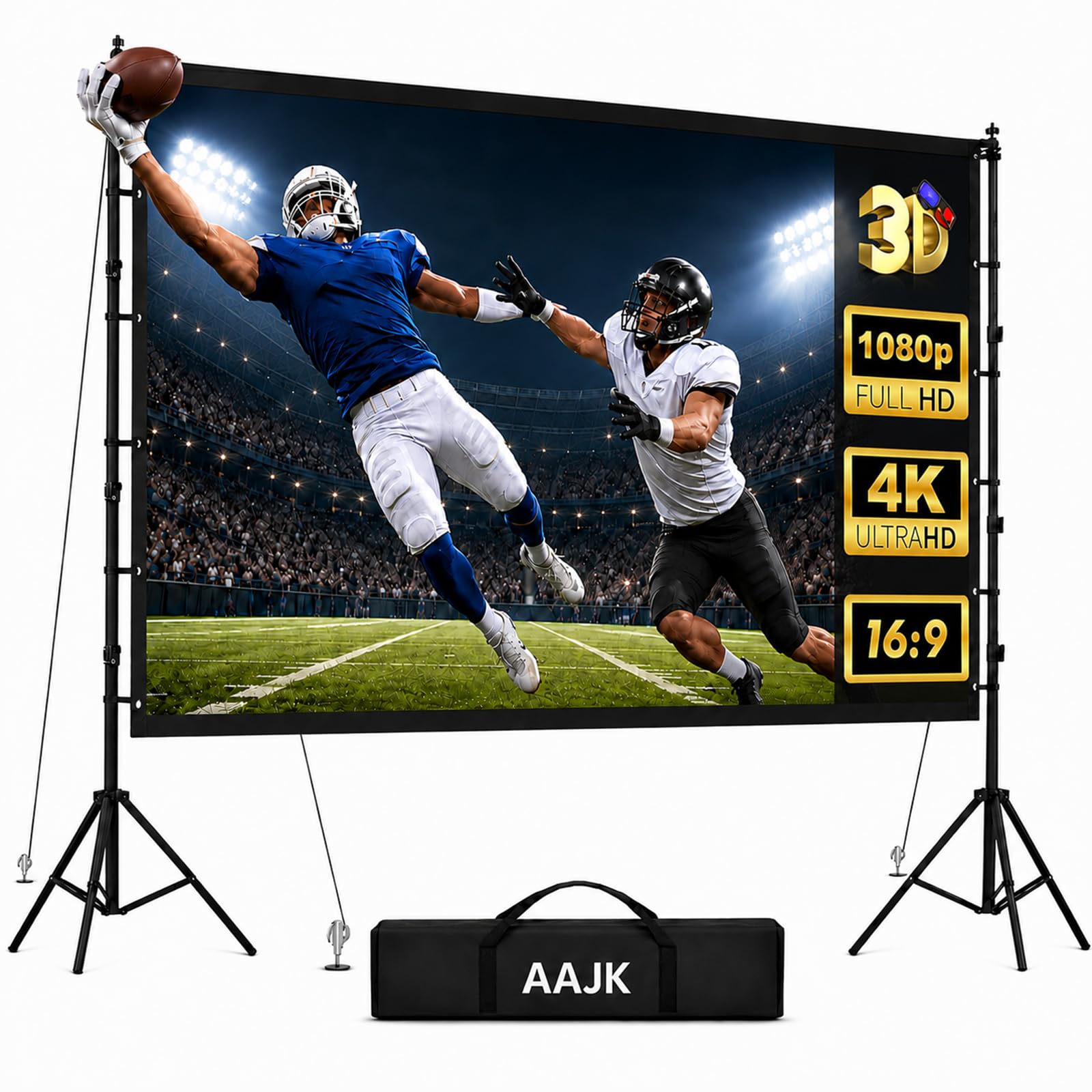
3. AAJK 150in Outdoor Projector Screen with Stand Easy Set Up Screen
Pros
- 150-inch diagonal delivers a large-group outdoor cinema experience that 100-inch screens cannot match
- Stand-included design means no separate tripod or mounting hardware is required
- Easy setup system assembles for backyard movie nights without tools
Cons
- 150-inch size requires a projector with sufficient throw distance for proper image fill at that diagonal
- Larger surface area catches more wind than compact screens — secure the stand before use outdoors
AAJK's 150-inch outdoor screen with stand is the largest-format entry on this list and fits a genuine outdoor theater setup for 20 or more viewers at comfortable viewing distances. The included stand avoids the need to source a separate tripod, and AAJK lists the setup as tool-free. Best for backyard cinema nights and large group outdoor screenings.
Elite Screens
4. Elite Screens Manual B 100-Inch Pull-Down Projector Screen
Pros
- Ceiling or wall mount installation keeps the screen out of the way when not in use
- Pull-down mechanism with auto-lock holds the screen at the desired height without assistance
- MaxWhite surface rated for 4K, 8K, and 3D projection
Cons
- Requires ceiling or wall mounting, which is a permanent installation step
- Manual pull-down requires reaching the cord at each use — motorized models avoid this
Elite Screens' Manual B M100H mounts to ceiling or wall and stores rolled up when not in use — freeing the wall or ceiling for normal use between screenings. The auto-lock holds it at any pull-down position and the MaxWhite screen surface handles 4K and 8K source material. Best for rooms that are used for multiple purposes and need the screen to disappear when not projecting.
VIVO
5. VIVO 100 inch Portable Indoor Outdoor Projector Screen
Pros
- Pull-up tripod design works indoors and outdoors without separate mounting hardware
- Matte white surface diffuses projection at up to 120-degree viewing angles
- 4:3 aspect ratio suits older presentation material and some retro video formats
Cons
- 4:3 aspect ratio leaves black bars when projecting 16:9 widescreen content
- Screen material is lighter weight than premium matte-white surfaces at higher price points
VIVO's PS-T-100 is a straightforward tripod pull-up screen at 100 inches diagonal in 4:3 format. It folds flat and travels well for classroom presentations, office use, and occasional home movie nights. The 4:3 aspect ratio is a consideration for widescreen content viewers, but it is the right choice for presentation-heavy use cases where most slide content is 4:3 formatted. A workable starting point for buyers on a tighter budget.
How We Picked
We ranked projector screens by use case suitability, surface quality specifications, and brand track record in the home theater market. Fixed frame screens were evaluated on frame rigidity and surface tension. Portable screens were compared on setup speed, portability, and compatibility with indoor and outdoor environments. Screen size, aspect ratio, and gain rating were core evaluation factors. For the full AAJK screen lineup and sizing options, see our AAJK brand review. We did not personally test any screen — assessments are based on manufacturer specifications and documented expert reviews.
Buying Guide
Screen Size and Viewing Distance
The 100-inch diagonal is the most versatile choice for home viewing rooms with 10 to 15 feet of seating distance. AAJK’s 150-inch outdoor screen suits backyard setups where viewers sit 20 or more feet back. Using a 150-inch screen in a small room places viewers too close for comfortable viewing. Use the projector manufacturer’s throw-distance calculator to confirm the projected image fills the screen before purchasing.
Aspect Ratio: 16:9 vs. 4:3
The 16:9 widescreen format matches modern streaming content, Blu-ray movies, and most video games without black bars. Four of the five screens here are 16:9. VIVO’s PS-T-100 is 4:3, which suits office presentations and older video formats but shows black bars on widescreen content. If you primarily watch films and television, choose 16:9.
Surface Gain
Gain is a measure of reflective brightness. The Silver Ticket STR and Elite Screens T100UWH both use 1.1 gain surfaces — slightly brighter than neutral in the central viewing cone. In darker rooms with a high-lumen projector, the difference between 1.0 and 1.1 gain is negligible. In rooms with ambient light challenges, a higher-gain screen used with a bright projector improves visible contrast.
Installation Type
Fixed frame screens offer the best image flatness because the surface is permanently tensioned on the frame. Pull-down screens introduce small wrinkle risks if not stored flat. Tripod screens like the Elite Screens T100UWH and VIVO PS-T-100 are the most flexible for multi-space use. Ceiling or wall mounting is required only for pull-down and fixed-frame screens — freestanding tripod screens need no drilling.
Outdoor Screening Considerations
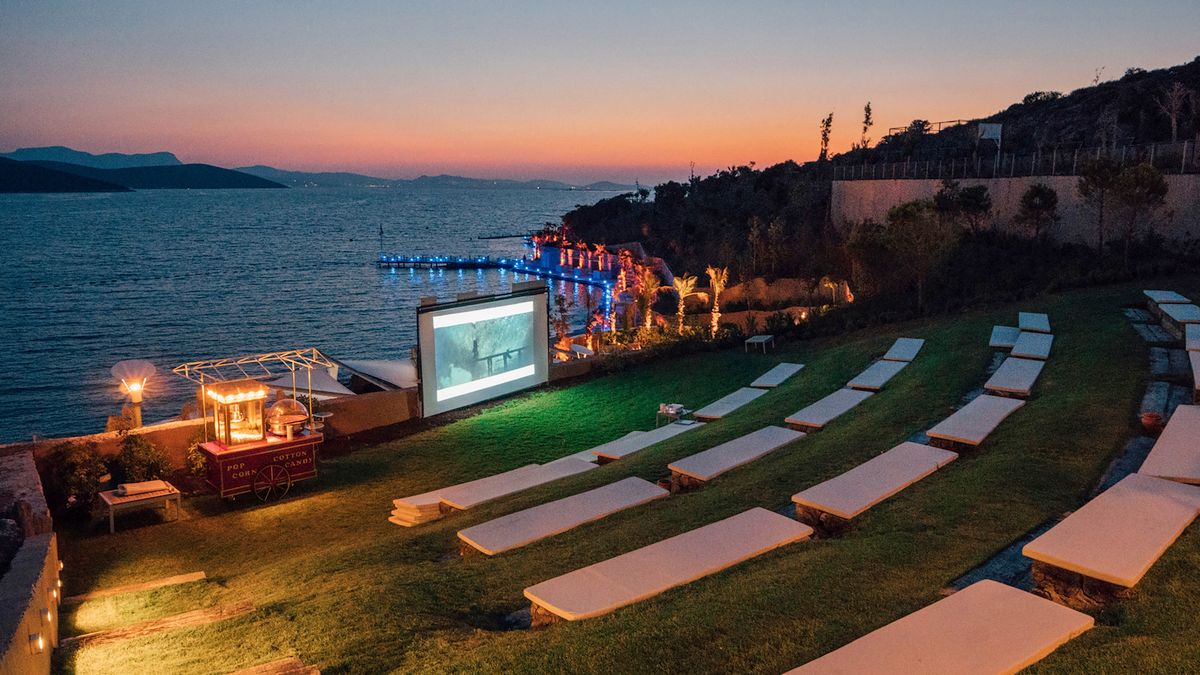
Outdoor screens need a solid base that does not tip in light wind. AAJK’s stand-included 150-inch screen is designed for outdoor use. For any outdoor screen, project after dark to maximize contrast — daytime projection is washed out by ambient sunlight regardless of screen quality.
Projector Screen Setup Tips
Verify your projector’s throw ratio matches the screen distance before assembling a fixed frame on the wall. A projector placed too close to a large screen will either overshoot the edges or produce an undersized image in the center.
Clean the screen surface with a dry microfiber cloth only — household cleaners and wet cloths can damage the optical coating on matte-white surfaces. Fixed frame surfaces should be dusted regularly to prevent buildup that reduces contrast.
When setting up a tripod screen outdoors, angle it slightly away from wind direction if possible. A screen catching a direct crosswind can shake or tip even on a calm-seeming evening, particularly once a crowd gathers and blocks ground-level wind indicators.
Allow the projector to warm up for two to three minutes before evaluating image quality. Most projectors output slightly lower color accuracy and brightness during the lamp warm-up phase, which can make a new screen look worse than it performs at full operating temperature. Similarly, let the room reach its normal ambient light level before adjusting the projector’s brightness settings — calibrating in full sunlight and then watching in a darkened room produces a washed-out picture. The same matte-white surface that looks dim in afternoon light will look sharp and high-contrast once the room is properly darkened.
If the projected image appears soft or blurry after setup, adjust the projector’s focus ring before changing screen placement or brightness settings. Focus drift is the most common cause of an unclear image on an otherwise correctly sized screen, and a small turn of the focus ring typically resolves it without moving any hardware.